December 11, 2025
AI Interior Design Software That Transforms Any Space
Explore how AI interior design software reimagines your home with realistic renders. Discover the best tools and tips to bring your vision to life.
Ever felt stuck staring at a room, knowing it needs a change but not sure where to start? Imagine having a creative partner who can instantly show you hundreds of possibilities, perfectly tailored to your space. That’s exactly what AI interior design software does. It’s like having a design expert on call, ready to turn your vague ideas into stunning, realistic images in seconds.
What Is AI Interior Design Software, Really?
Think of it as your personal digital decorator. In the past, coming up with initial concepts meant spending weeks cutting out magazine clippings for a mood board or paying a hefty fee for a professional consultation. Now, you can get that same visual feedback almost instantly.
You start with a simple photo of your room, type in what you're imagining—say, "a cozy, minimalist living room with a leather sofa and warm lighting"—and the AI gets to work. Within minutes, it presents you with multiple design options, all based on your actual space.
This isn't just a fancy photo filter. It's a smart visualization tool that understands the nuts and bolts of your room—the layout, the light from the windows, even the existing furniture you want to keep. It then automates tricky tasks like arranging furniture, picking color palettes, and placing decor, making high-quality design accessible to anyone.
The industry is taking notice. The global interior design software market hit USD 5.3 billion in 2024 and is expected to climb to an impressive USD 10.4 billion by 2033. This boom is fueled by AI's knack for handling repetitive work and sparking new ideas. You can dig into the numbers behind the interior design software market's growth on imarcgroup.com.
Your Digital Design Assistant
At its core, an AI design tool is an intelligent assistant. It’s been trained on millions of images, so it has learned what makes a room feel balanced, functional, and stylish. Whether your taste is modern minimalist or eclectic bohemian, the AI knows how to apply those principles to your room.
This is exactly what a digital assistant helps you do—visualize a brand-new layout without moving a single piece of furniture.
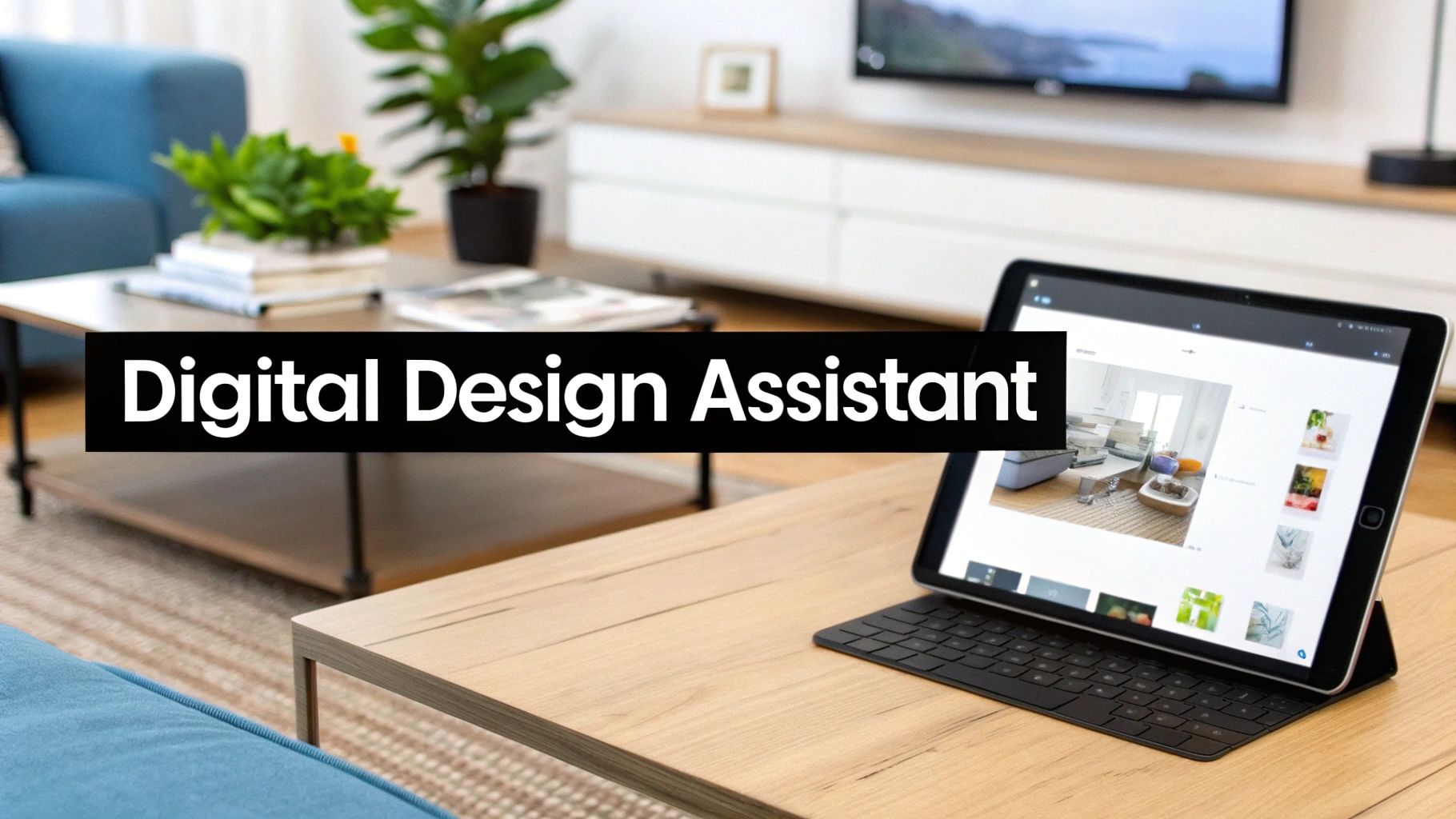
The image above shows how a simple photo becomes the canvas for a complete transformation. It closes the gap between an idea in your head and a visual you can actually see and refine.
The magic of this software is its ability to turn a fuzzy concept into a concrete visual. It doesn’t replace human creativity; it supercharges it by taking the technical guesswork out of the equation.
The process all starts with your input. This could be a quick snapshot from your phone or even a basic hand-drawn floor plan. If you're starting with a blank slate, it helps to understand what a sketch is and how it serves as a foundation for the entire design. From there, the software helps you build a whole new vision for your space.
The Core Features Redefining Home Design
To really get what makes AI interior design software so special, you have to look beyond the bells and whistles and focus on its core capabilities. This isn't just a slight improvement on old CAD programs; it’s a completely new way to think about and create spaces. These tools automate the tricky creative parts, turning a simple thought into a detailed, inspiring image in just a few seconds.
At the heart of it all are a handful of game-changing features that work together to make the whole design process less of a mystery. They handle everything from brainstorming early layouts to creating gorgeous final images, putting professional-level results within reach for just about anyone. Let’s dive into the essential functions you’ll find in the best tools out there.
Generative Design and Instant Layouts
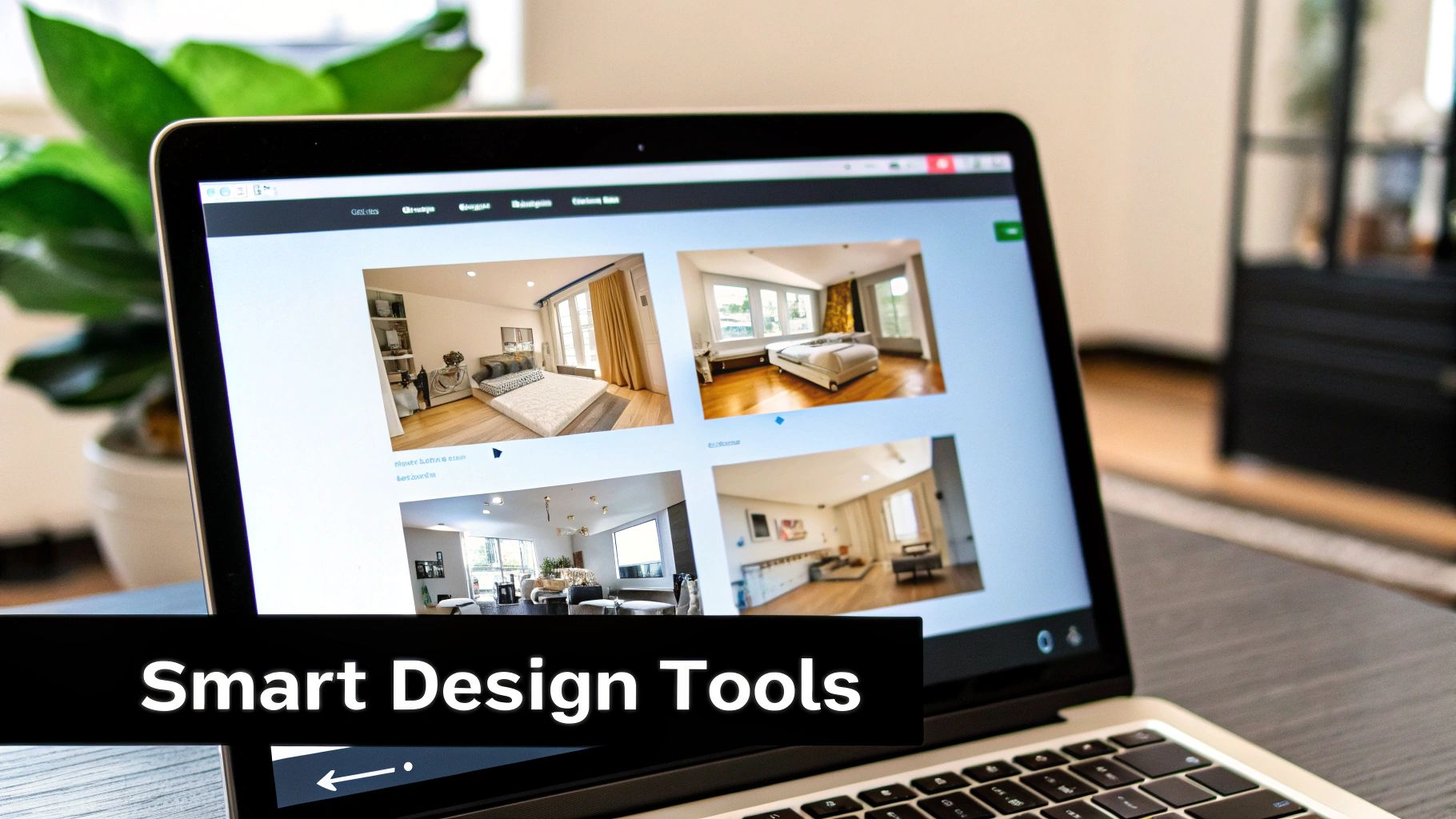
Imagine asking for one living room idea and getting 20 unique concepts back almost instantly. That’s the magic of generative design. You just give it a starting point—maybe a photo of your room and a simple prompt like "cozy Scandinavian living room"—and the AI generates a bunch of distinct layouts.
It’s smart enough to arrange furniture, pick out color schemes, and optimize the room's flow, all based on solid design principles. This feature is a massive time-saver, cutting out the hours of brainstorming that used to be done by hand.
Virtual Staging for Real Estate
For anyone in real estate, an empty room is a huge missed opportunity. Virtual staging completely changes that game by digitally furnishing vacant properties. An agent can snap a photo of a bare room, upload it, and use AI to fill it with stylish, inviting furniture.
The results look incredibly real, helping potential buyers form an emotional connection and actually picture themselves living there. This has quickly become a go-to marketing tool, making listings more compelling and helping properties move faster, all without the logistical nightmare of physical staging.
By turning cold, empty spaces into warm, welcoming homes, virtual staging helps buyers see potential, not just four walls. It’s a key reason why 77% of buyer's agents report that staging makes it easier for clients to visualize a property as their future home.
Style Transfer and Aesthetic Exploration
Ever wondered what your bedroom would look like with an "Industrial Loft" or "Coastal Grandmother" vibe? Style transfer lets you find out with a single click. Think of it as an aesthetic filter for your space.
You can upload a photo of your room along with an inspiration image, and the AI will apply the style of the second image to your own space. It looks at the colors, textures, and furniture in the inspiration pic and reimagines your room to match. This is perfect for playing around with bold looks you might otherwise be too hesitant to try.
Photorealistic Rendering for Ultimate Clarity
The final piece of the puzzle is photorealistic rendering. This is the tech that creates those stunningly life-like images you see at the end. The AI builds a detailed 3D model of the redesigned room and then simulates realistic lighting, shadows, and material textures to bring it to life.
The goal is to produce an image so crisp and detailed that you can barely tell it apart from a real photograph. This level of clarity is vital for making confident decisions, giving you an exact preview of how your project will turn out before you buy a single thing.
Who Really Benefits From AI Design Tools?
The magic of AI interior design software is that it's not just for one type of person. It offers real, practical advantages for everyone, from professional designers juggling multiple clients to a homeowner just trying to pick a new paint color.
Think of it as a multi-tool. Each user grabs it to solve a completely different problem, whether that's speeding up a project, selling a house faster, or just getting the confidence to try something new.
The Professional Interior Designer
For an interior designer, the biggest win here is speed. Time is money, and these tools are like hiring a super-fast junior designer. The grunt work of creating initial concepts—sketching layouts, sourcing furniture ideas, building mood boards—is crunched down from days to mere minutes.
This doesn't replace the designer's creative genius. Instead, it frees them up to focus on the things an AI can't do: nurturing client relationships, managing the complex logistics of a project, and adding that final, signature touch that makes a space truly special.
- Lightning-Fast Ideation: You can generate a dozen different looks for a living room before your coffee gets cold, giving clients a rich visual menu to react to right from the start.
- Painless Revisions: Client wants to see the sofa in blue instead of green? That's no longer a multi-hour redraw. It's a few clicks, and you've got an updated render ready to go.
- Wow-Factor Presentations: Forget flat floor plans. You can present clients with gorgeous, photorealistic images that show them exactly what their future home will look like, leaving nothing to the imagination.
The Savvy Real Estate Agent
In real estate, it’s all about helping buyers see a property's potential. An empty room is just a box, and it’s hard for most people to picture their life inside it. This is where AI tools, especially those with virtual staging features, become a secret weapon.
Agents can instantly transform photos of a vacant, sterile space into a beautifully furnished, inviting home. It’s all about creating an emotional connection. When buyers can see a cozy living room or a stylish dining area, they stop seeing a listing and start seeing a life. That connection often translates to faster sales and better offers. For a closer look, check out our complete guide on how virtual staging for real estate works.
Virtual staging bridges the gap between an empty house and a potential home. It allows buyers to see the true potential of a property, making it a powerful and cost-effective marketing asset.
The Creative Homeowner
For homeowners and renters, these tools are about one thing: empowerment. For a long time, interior design felt out of reach unless you had a big budget and a professional on speed dial. AI blows that wide open, putting the power to design directly into your hands.
Want to see if that bold, floral wallpaper you’ve been eyeing is a mistake? Or figure out if your couch would look better on the opposite wall? Now you can test it all out virtually without spending a dime or lifting a single piece of furniture. It’s a “try before you buy” playground for your home, helping you avoid costly mistakes and giving you the confidence to bring your vision to life.
The numbers show just how big this shift is. The AI interior design market is on track to hit USD 7.3 billion by 2033, and analysts predict that 72% of design firms will be using AI for space planning by 2025. You can dig into more data about the AI interior design market on market.us.
To see how these advantages stack up side-by-side, let's break it down by who's using the software and what they get out of it.
AI Design Software Benefits by User Type
| Feature | Benefit for Interior Designers | Benefit for Real Estate Agents | Benefit for Homeowners |
|---|---|---|---|
| Rapid Rendering | Accelerates client feedback loops and concept approval. | Quickly creates marketing visuals for multiple listings. | Instantly see design ideas without waiting. |
| Virtual Staging | Helps clients visualize furniture in an unfurnished space. | Makes empty properties look furnished, warm, and appealing. | Plan a new home's layout before moving in. |
| Style Exploration | Generates diverse mood boards and style options quickly. | Stages properties in styles that appeal to target buyers. | Discover new styles and experiment risk-free. |
| Cost-Effectiveness | Reduces billable hours spent on initial drafting and revisions. | Eliminates the high cost of physical staging furniture. | Prevents expensive purchases that don't fit the space. |
Ultimately, whether you’re a pro or just passionate about your space, these tools offer a smarter, faster, and more creative way to approach interior design.
How To Choose The Right AI Design Tool For You
With so many new AI tools popping up, picking the right ai interior design software can feel like a design project all on its own. It's easy to get distracted by flashy features, but the real secret is matching a tool's strengths to what you actually need to accomplish. They aren't all built the same—some are brilliant for sparking quick ideas, while others are powerhouses for detailed, professional planning.
First thing's first: what are you trying to do? Are you a homeowner itching to brainstorm a weekend living room refresh? Or maybe a real estate agent who needs to quickly stage an empty condo to look its best online? Answering that one question will cut through the noise and point you in the right direction.
Define Your Primary Use Case
The best way to find your perfect match is to start with your role. What an interior designer needs from a platform is worlds away from what a first-time renovator is looking for.
Think of it like a decision tree—your role determines which features you should be looking for.
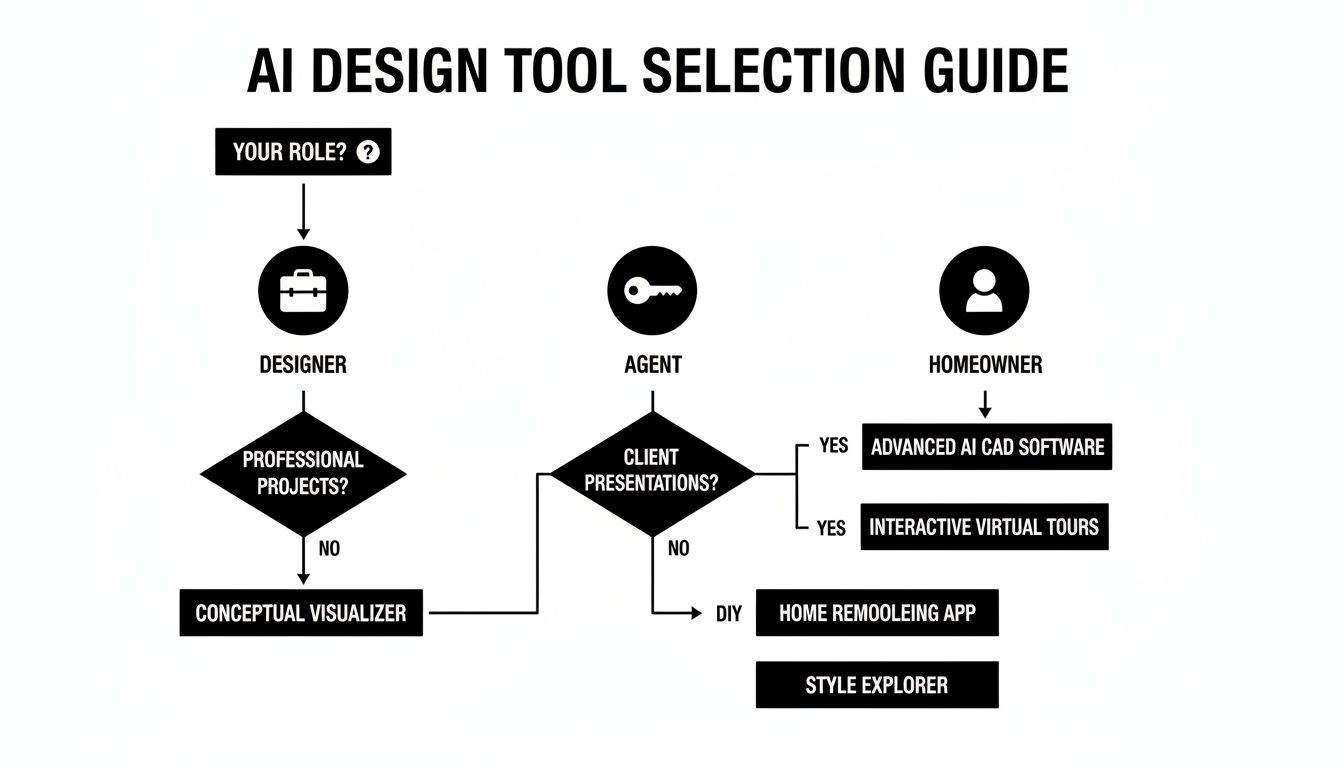
As you can see, your job or personal project is the launchpad for figuring out the right features and even the right price.
- For Homeowners: You'll want something with a simple, friendly interface, tons of built-in styles to play with, and ideally a pay-per-image option. The goal is easy, low-commitment experimentation.
- For Real Estate Agents: Your priorities are high-quality virtual staging, fast image generation, and lighting that looks completely real. You need to make empty spaces feel like home, and fast.
- For Interior Designers: You need the professional-grade stuff. Look for deep customization options, the ability to create precise 2D floor plans, and rendering quality that’s indistinguishable from a photograph for client presentations.
By getting clear on your end goal first, you avoid paying for powerful features you'll never touch or, worse, choosing a basic tool that just can't keep up with your project's demands.
Evaluate Key Features and Pricing
Once you know what you’re looking for, it’s time to compare the platforms. Pay close attention to the quality of their renders. Do the textures look believable? Does the light fall realistically across the room? A top-tier tool creates images you could easily mistake for real photos.
Next, look at how they charge. A monthly or annual subscription often makes the most sense for professionals who will be using the tool constantly. On the other hand, pay-as-you-go credits are perfect for homeowners with a single project in mind. This kind of flexibility is becoming more common as the market grows.
The global AI interior design market was valued at USD 1.82 billion in 2024 and is expected to hit USD 12.46 billion by 2032, growing at a staggering 27.18% annually. This explosion is fueled by the demand for tools that can automate the grunt work and give people a true-to-life preview of their vision. You can find more details on this trend from the AI interior design market growth report on archivemarketresearch.com. By understanding exactly what you need, you can confidently navigate this booming market and find the perfect creative partner for your work.
A Simple Walkthrough Of Your First AI Design Project
Ready to see how simple it is to use AI interior design software? The best way to really get a feel for these tools is to just dive in and start a project. Let's walk through the process, taking a blank slate and turning it into an inspiring concept in just a few quick steps.
The whole experience is designed to be incredibly intuitive. You don't need a background in 3D modeling or a degree in design. Honestly, if you can upload a photo from your phone and type a sentence, you're all set.
Step 1: Upload a Photo of Your Room
Everything starts with a picture of your space. Grab your phone, snap a clear, well-lit photo of the room you want to tackle, and upload it. This image becomes the canvas for all the AI's creative work.
A quick tip: try to get as much of the room in the shot as possible. The more the AI can see—the layout, the windows, any quirks in the architecture—the better it can understand what it’s working with.

This first step is so important because the AI uses your photo to keep the room’s actual structure intact. It ensures the final designs look like they belong in your home, not some generic showroom.
Step 2: Choose a Style and Add Instructions
Next comes the fun part: giving the AI some creative direction. Most platforms will have a menu of popular design styles you can choose from. Just pick one that speaks to you, whether it's 'Modern Farmhouse,' 'Industrial,' or 'Bohemian,' to set the overall vibe.
This is also where you'll use a text prompt. Think of it as a short, simple instruction telling the AI what you envision. You don't need to get complicated.
- Example Prompt: "Add a cozy brown leather armchair, a large area rug, and a tall floor lamp in the corner."
By combining a style choice with a specific prompt, you give the AI the perfect blend of high-level guidance and concrete details. If you're looking for more ideas on how to approach a new look, check out our guide on how to redecorate a room with fresh ideas.
Step 3: Generate and Fine-Tune Your Designs
Once your photo and instructions are in, you just hit 'Generate.' In seconds, the AI will churn out several unique design concepts based on your request. You’ll immediately see different layouts and visual interpretations of your idea.
This is the "what if" moment. The software instantly shows you multiple paths your space could take, often revealing possibilities you'd never have thought of on your own.
From here, it's all about playing and refining. Maybe you love one concept but aren't sold on the chair. No problem. Just tweak your prompt—something like, "change the armchair to dark green velvet"—and generate again. This ability to make rapid changes is what makes these tools so powerful. You can go from a vague idea to a polished, personalized design in minutes.
Got Questions About AI Interior Design? We’ve Got Answers.
Jumping into new technology always sparks a few questions, and that's a good thing. It means you're already thinking about how to make it work for you. We’ve rounded up some of the most common queries we hear about AI interior design software to give you a clear picture of what to expect.
Think of this as a quick-start guide to the practical side of things—from what files you’ll need to the creative limits you might encounter. Let's get these questions sorted so you can get to the fun part: creating your dream space.
What Kind of Files Do These AI Tools Need?
You'll be happy to hear that most AI design platforms are built to be incredibly user-friendly. They work with the file types you already have on your phone or computer, so you don't need any special software to dive in.
For the most part, these tools run on standard image files like JPEG and PNG. You can literally just snap a photo of your room, upload it, and let the AI work its magic. The final result is usually a new high-resolution image of your redesigned space, ready to be saved and shared.
Now, for the pros out there, some of the more advanced platforms might also play nice with industry-standard files like DWG for detailed floor plans or SKP for 3D models from software like SketchUp. But for the vast majority of us, a simple picture is all it takes.
How Does the Pricing Work for AI Design Software?
The cost can vary quite a bit from one tool to another, but you’ll typically see a few common pricing models. This flexibility is great because it means there's usually an option that fits your budget and project size.
Many platforms offer a "freemium" model, which lets you generate a few designs for free to test the waters. Once you've used those up, you'll generally find two main paths:
- Pay-Per-Design Credits: This is perfect for homeowners or anyone tackling a one-off project. You simply buy a bundle of credits and spend them as you generate new images.
- Monthly Subscriptions: This route is popular with interior designers, stagers, and real estate pros who need to create designs on a regular basis. A monthly fee typically gets you unlimited use, which is great for a high volume of work.
Just be sure to read the fine print on any plan. Some of the lower-cost options might put a cap on image resolution, limit the number of design styles, or hold back premium features like advanced editing tools.
What Are the Limitations of Today's AI Design Tools?
While AI interior design software is a powerful creative partner, it’s important to know where it shines and where it falls short. These tools are absolutely brilliant for brainstorming and visualizing ideas, but a human expert is still critical for a successful real-world project.
Think of the AI as a brilliant creative assistant, not a replacement for a professional designer. It doesn't have that deep, empathetic understanding of a client's lifestyle or the practical, problem-solving mind needed to manage a full-scale renovation.
Here are a few key limitations to be aware of:
- Practicality Isn't a Given: An AI can dream up a visually stunning concept that just isn't practical. It might, for example, place a beautiful pendant light where there’s no electrical wiring or arrange furniture in a way that blocks a high-traffic path.
- It’s Inspiration, Not a Blueprint: The designs are meant for inspiration and visual communication. You should never, ever use an AI-generated image as a formal architectural plan for construction.
- It Can Misinterpret Nuance: The AI does best with clear, direct instructions. It can sometimes get lost or produce odd results when given highly specific or abstract creative prompts.
The best way to use the software is as your co-pilot during the "what if" phase, helping you explore possibilities faster than you ever could on your own.
Can This Software Create Both 2D Plans and 3D Visuals?
Yes, many of the more robust platforms are fully equipped to handle both 2D and 3D design work. This dual capability makes them incredibly versatile, useful for everything from a simple room makeover to a more complex renovation.
Often, the process kicks off with a 2D floor plan. You can either sketch one out from scratch right inside the tool or, in some cases, have the AI generate a basic layout for you. This 2D plan becomes the foundation for everything else.
From there, the software uses that layout to construct a 3D model, complete with walls, windows, and doors. Then comes the fun part: filling the space with furniture and generating the photorealistic 3D renderings and virtual tours that truly bring the vision to life. Simpler tools, on the other hand, often skip the 2D step and focus on re-styling a photo, which is more about aesthetics than precise spatial planning.
Ready to stop wondering and start designing? With AiRoom, you can turn a simple photo into stunning, professional-quality designs in just a few minutes. See your home’s true potential and bring your vision to life today. Try AiRoom now and create your perfect space.